Education & nonprofits
Ransomware and schools: why districts are targeted, and a recovery plan that fits a two-person IT department
Schools are attacked over summer break, through shared admin passwords, by the same groups that hit enterprises — but with a fraction of the staff. Here is a ransomware recovery plan sized for a two-person district IT team: what to restore first, and how central monitoring fills the gap.
Picture a fairly ordinary school district: 3,000 students across six buildings, a cart of Chromebooks in every classroom, a handful of Windows servers for file shares, finance and the phone system, and a student information system hosted by a vendor. Running all of it: two people. One of them also fixes the projectors.
That district is not an enterprise, but the attackers targeting it are the same ones targeting enterprises. This article is for the people running IT in districts like that one. It covers why schools get targeted, the two weaknesses attackers exploit most reliably — the school calendar and the shared admin password — and a recovery plan sized for a team that cannot staff an incident room around the clock.
Why schools, specifically
Schools are data-rich and resource-poor. That combination is the whole story.
The Center for Internet Security, MS-ISAC and CoSN published The State of K-12 Cybersecurity 2026 in late October. In their survey, just over half of schools and districts reported a cyber incident in the past year, and about a third said an incident had affected school operations. MS-ISAC escalated more than 11,600 incidents during the 2025–26 school year, and close to 80% of respondents said they need more cybersecurity support or guidance.
K12 SIX, the information-sharing center for the K-12 sector, has catalogued well over a thousand publicly disclosed incidents since 2016 — and points out that, because districts have weak disclosure requirements, the real number is much higher. CISA's 2023 report on K-12 cybersecurity found that many districts employ no full-time security specialist at all.
Schools also feel unusual pressure to pay. A business can limp along for a week; a district that cannot take attendance, reach parents or run the cafeteria may not be able to open. And the stolen data belongs to children, whose clean credit histories make them attractive for identity fraud that can go unnoticed for years.
None of this means disaster is inevitable. The same 2026 report notes that most surveyed districts now use MFA and email security protections, and that many attacks are being stopped before they turn into major incidents. The districts that come through ransomware well are rarely the ones with the biggest budgets. They are the ones that decided in advance what they would do.
The attack window is the school calendar
Attackers read the school calendar too. Summer break, winter break and long weekends all mean fewer people watching, slower responses and key staff who are hard to reach.
The pattern shows up repeatedly. Baltimore County Public Schools was hit just before Thanksgiving in 2020. Los Angeles Unified was hit over Labor Day weekend in 2022. Evanston Township High School in Illinois was hit in early June 2025, as the school year turned into summer programs. In 2020, MS-ISAC reported that K-12 schools accounted for 57% of the ransomware incidents reported to it in August and September, against 28% from January through July.
The logic is cold but simple. An attacker who gets in during June has weeks of quiet to explore the network, find the backups and steal data. Detonating just before the first day of school gives the most leverage, because the district has the least time to recover. Detonating in spring would hand the district a whole summer to rebuild.
The practical takeaways:
Treat the week before every break as a checkpoint. Confirm the last backup of each critical system actually restores. Disable accounts for departing staff and graduating seniors. Review who holds admin rights.
Make sure alerts reach a phone, not an inbox. A failed-backup email that sits unread for three weeks in July is the same as no alert.
Schedule a short check-in during long breaks. Fifteen minutes a week looking at backup status and admin sign-ins is enough to catch most of what goes wrong.
Keep enough backup history to reach back past the break. If an intrusion started in June and is discovered in August, a backup set that only keeps 30 days of history may contain nothing clean.
The shared admin credential problem
In many small districts, there is one domain admin password. Both IT staff know it. So does the person who held the job before them, and the contractor who installed the wireless network, and it is written in a binder in the server room. The same account is used to log in to the backup server and the NAS.
Whoever obtains that password — through phishing, a reused password from another breach, or a contractor's compromised laptop — gets everything, including the backups. Deleting or encrypting backups is one of the first things modern ransomware operators do, precisely because it removes the district's way out.
The largest K-12 data breach of recent years followed the same pattern at vendor scale. In the PowerSchool incident in December 2024, attackers used a single compromised credential, tied to a maintenance account on the vendor's support portal, to reach student information system data for a very large number of districts. The lesson is not specific to one vendor: any credential with broad reach is the credential attackers want, whether it is yours or your supplier's.
Fixes that two people can realistically put in place:
Named admin accounts for each person, separate from the account used for email and everyday work. No shared admin logins.
MFA on every admin sign-in, including the backup system, the firewall and the vendor portals.
Keep the backup system out of reach of the domain admin. Backup management should use its own identity — ideally single sign-on with MFA through a separate account — so that taking over Active Directory does not also mean taking over the backups.
At least one copy the backup client cannot delete. Versioned or retention-locked offsite storage means a compromised server can stop making new backups, but cannot destroy the old ones.
Time-limited access for contractors and vendors, and a written list of which outside parties can reach which systems.
Store the backup encryption key away from the systems it protects — for example, in a sealed copy held by the business office. A key that only exists on the encrypted server is a key you no longer have.
Restore order: SIS, authentication, then devices
A two-person team cannot restore everything at once, so the order has to be decided before the incident — not at 2 a.m. while the superintendent is asking whether school opens tomorrow. Write it on one page and print it.
1. Student information system
The SIS answers the questions that determine whether school can safely open: who is enrolled, who is in the building, who may pick a child up, which students have allergies or medical needs, which students have IEPs or 504 plans, and which bus each child takes.
Many districts use a hosted SIS, so "restoring" it usually means three things: confirming with the vendor that their side is unaffected, restoring your local integrations (rostering sync, state reporting exports, single sign-on), and having the data available even when neither of those works yet.
That last point is the one most often missed. A nightly export of the critical reports — emergency contacts, class rosters, medical alerts, transportation lists — stored in your backups means a principal can have a printed list on day one, even while your network is still down. If you run the SIS database yourself, it is the first server you restore, onto clean hardware or a fresh VM.
2. Authentication
If staff sign in to the SIS through your directory, the SIS is not really usable until identity is trustworthy again. That is why the offline export above matters: it separates "we know who is in the building" from "our login system works."
Rebuilding identity means assuming every password is compromised. Reset admin accounts first, then staff, then students in bulk. In Active Directory, reset the krbtgt account twice. Re-enroll MFA. If you restore domain controllers from backup, choose a restore point from before the intrusion began — which, given the summer pattern above, may be weeks earlier than the day the ransom note appeared. Restoring last night's domain controller can mean restoring the attacker's own accounts along with it.
3. Devices
End-user devices are usually the easiest part. Chromebooks are largely stateless: in the Baltimore County incident, the district reported that student Chromebooks and Google accounts were not affected, because the damage was on Windows back-office systems. Powerwash and re-enroll where needed.
Windows laptops and lab machines should generally be re-imaged from a known-good image rather than restored, since restoring them can bring persistence mechanisms back. Staff documents and mail living in Google Workspace or Microsoft 365 come back from a SaaS backup, not from the devices.
Two exceptions to the order are worth writing down in advance. Payroll has a hard date: if payday falls inside the recovery window, finance moves up the list. And building systems — phones, heating controls, door access — can be on the same network as everything else; in one Michigan district, a holiday-break attack took down heating, phones and copiers along with classroom technology.
Central monitoring replaces the staff you don't have
Two people cannot log in to fifteen servers every morning to check whether last night's backups ran. And backups fail quietly: a disk fills up, a password changes, a snapshot service starts erroring, a laptop has not been on the network for a month. Without central monitoring, the failure is discovered during the restore — the worst possible moment.
Central monitoring turns that daily round of checks into a single screen:
Every machine's last successful backup in one place, so a gap is visible in seconds rather than discovered in a crisis.
Alerts for missed or failed backups, routed somewhere a person will see them during a break.
Scheduled restore tests, so you know the data comes back before you need it to.
A report you can hand to the board or the cyber insurer showing what is protected and when it was last verified.
Monitoring backups is not the same as detecting intruders. It will not replace an endpoint detection service or a security operations center. Pair it with what is available to the sector: CISA publishes a list of free cybersecurity services and tools, and K12 SIX publishes its Essentials series of baseline protections and an incident response run-book written for districts. (MS-ISAC moved to a fee-based membership in June 2025, so check current terms before budgeting on older advice.)
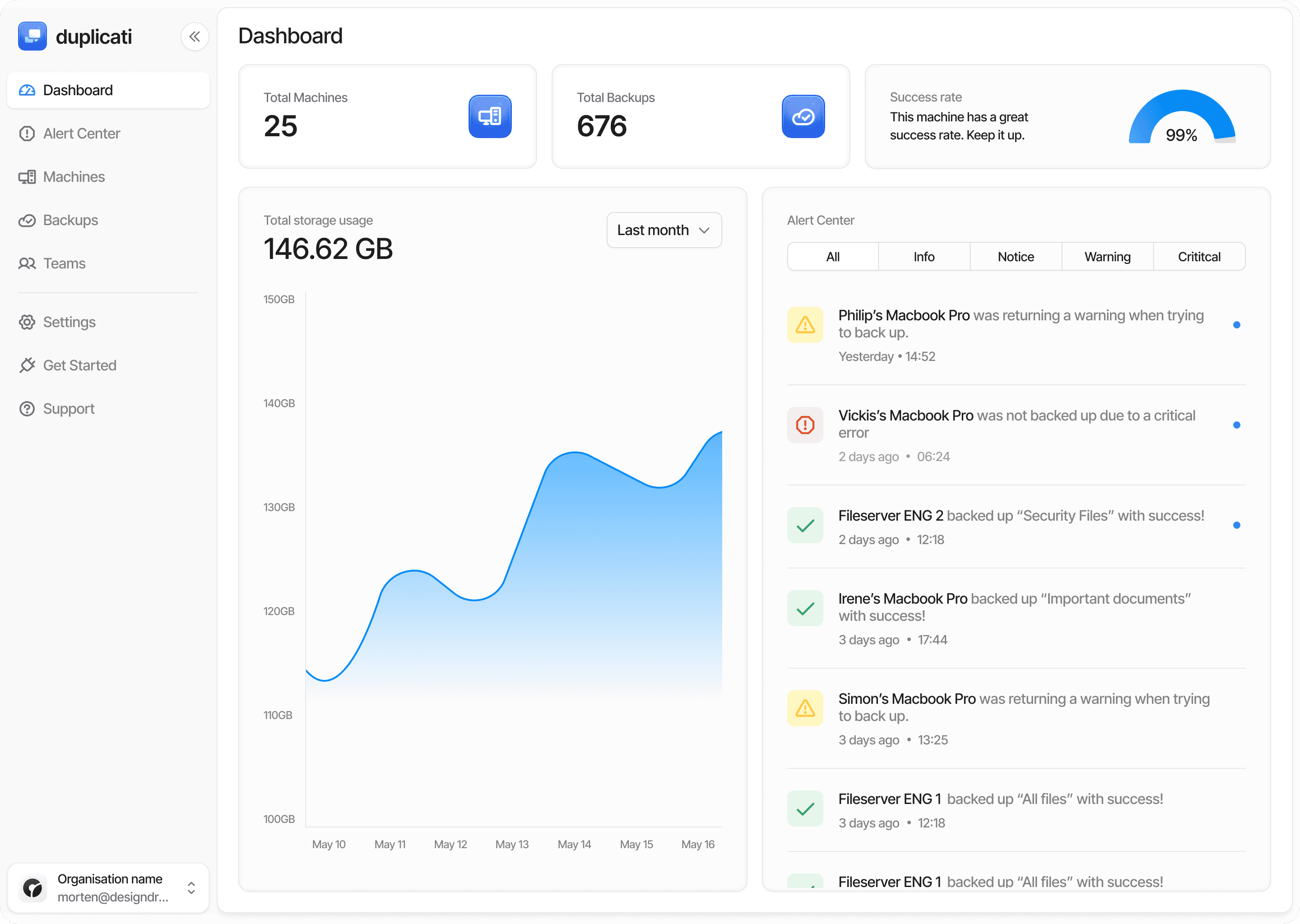
This is the problem the Duplicati Console is built for. It shows the backup status of every Duplicati machine — Windows, Linux or Mac — in one dashboard, alerts on failures, and supports single sign-on so there is no shared console password to leak. It also offers managed backup for Google Workspace and Microsoft 365, which covers the staff and student accounts that most district data now lives in. For self-managed backups, the encryption key stays with you.
A one-page plan
Before an incident
Named admin accounts with MFA; no shared admin password.
Backups managed under a separate identity, with at least one versioned or retention-locked offsite copy.
Backup history long enough to reach back past a summer break.
Nightly export of SIS emergency reports into the backups.
Restore order (SIS → authentication → devices, with payroll and building systems noted) written and printed.
Printed contact list: cyber insurer, K12 SIX, CISA/FBI reporting, SIS and other key vendors.
A restore test every quarter, and a checklist run the week before every break.
During an incident
Isolate affected systems; do not wipe them, because evidence matters.
Call your cyber insurer before restoring anything — many policies require it.
Report to CISA or the FBI.
Choose a restore point that predates the intrusion, not just the encryption.
After
Rotate every credential, including vendor and contractor access.
Find out how the attackers got in, and close that route before the next break.
Ransomware in schools is a real and persistent problem, but it is not a reason for panic. It is a reason for a plan that a small team can actually carry out: fewer shared secrets, backups the attacker cannot reach, a restore order everyone agrees on, and monitoring that does the daily checking for you.
Sources
CIS, MS-ISAC and CoSN: The State of K-12 Cybersecurity 2026 (press release, Oct 27, 2026)
CISA: Partnering to Safeguard K-12 Organizations from Cybersecurity Threats
TechTarget: FBI, CISA warn of growing ransomware attacks on K-12 schools (2020)
TechTarget: Ransomware attack shuts down Baltimore County schools
Emsisoft: Ransomware surges in education as attackers wait for the school year
WXYZ: Richmond Schools extend holiday break due to ransomware attack