News
One-click restore verification: making backup testing something that actually happens
Every backup policy promises quarterly restore tests, and almost none of them deliver, which is why the first real test is usually an incident. This article looks at why that gap matters under GDPR Article 32 and NIS2, and how scheduled, console-enforced restore tests across a fleet turn a forgotten task into dated evidence.
Every backup policy says restores are tested. Very few of them are, and the difference only shows up on the worst possible day. This article is about closing that gap with restore tests that run on a schedule, across every machine you manage, and leave a record behind.
The quarterly restore test that never happens
Almost every backup policy contains a line like "restores are tested quarterly." It is also one of the most reliably ignored commitments in IT.
The reason is not negligence. A restore test is a manual task with no deadline pressure behind it. It competes with tickets, patch windows, onboarding and the outage that is happening right now. Someone has to pick a machine, pick a backup, pick a few files, restore them to a scratch location, open them, confirm they are intact, and write it down somewhere an auditor can find later. Then do it again for the next machine, and the next tenant.
For a small IT team or an MSP juggling many customers, the honest version of the policy is closer to "we restore when a user asks us to, and that is how we find out whether the backup works." The backup job reports success every night. Success means the upload finished. It says nothing about whether the data can come back, whether the encryption key is still the right one, or whether the storage provider silently corrupted a chunk six months ago.
So the paper says quarterly, the practice says never, and the first real test is an incident. That is the gap.
Why an untested backup is not a compliant backup
Regulators closed this loophole a while ago. They just did not phrase it as "test your restores."
GDPR Article 32 asks for "the ability to restore the availability and access to personal data in a timely manner in the event of a physical or technical incident." The word is ability, not intention. A backup nobody has restored from is a hypothesis about that ability, and the same article goes on to require "a process for regularly testing, assessing and evaluating the effectiveness" of your security measures. A backup that has never been exercised fails both halves: you cannot show the ability, and you cannot show the regular testing.
NIS2 is more direct. Article 21 lists the risk-management measures essential and important entities must have in place, and names "business continuity, such as backup management and disaster recovery" among them, alongside policies to assess whether those measures work. Supervisors expect evidence, and nightly green ticks with no restore history are not evidence.
The practical consequence for an MSP is that your customers' compliance now depends on something your reporting probably does not capture. "Backups completed" is easy to report. "Backups were restored and verified on these dates, with these results" is what a data protection officer or an auditor will ask for, and it is the question that quarterly-on-paper testing cannot answer.
The specifics vary by sector and member state, but the burden of proof is shifting everywhere from "we back up" to "we can restore, and here is how we know."
Make the test something the system does, not something a person remembers
The fix is not a better reminder. It is to take the restore test out of the to-do list and make it a scheduled, enforced property of the backup itself, managed from one place for the whole fleet.
Three things change when restore testing moves into the console.
It becomes a policy rather than a task. Instead of "test restores quarterly," you set a rule once: every backup in this organization runs a restore test on this interval. New machines inherit it the day they are enrolled.
It becomes cheap enough to run often. A restore test does not need to pull back the whole backup. It restores a sample of files into a temporary location, verifies every byte against the hashes recorded at backup time, and cleans up. With a sensible download budget it runs quietly in the background, so monthly or even weekly is realistic where quarterly never was.
It produces evidence as a by-product. Each run records which machine, which backup, which version, how many files were sampled, what was downloaded and whether every file verified. That history accumulates in the console with no extra effort, which means the answer to "show me your restore testing" is an export rather than a scramble through old tickets.
For MSPs this is the piece that makes compliance scalable. One rule covers every customer, the evidence is organized by tenant, and the engineer who would have spent an afternoon per quarter on manual restores spends it on the alerts that need a human instead.
What a restore test should actually cover
Not every restore looks the same, and a test that only ever proves one shape of recovery leaves blind spots. A useful rotation covers three cases.
A single file. This is the most common real-world restore: a user deleted or overwrote one document and wants yesterday's version. The test should pick a file, pull it from a specific backup version, and confirm the content matches what was backed up. It proves the version chain and the encryption key are intact.
A folder. Restoring a directory tree checks something a single file cannot: that paths, permissions and metadata come back correctly, and that the backup can reassemble many files from blocks spread across the storage.
A SaaS mailbox. More and more of the data an organization depends on lives in Microsoft 365 or Google Workspace rather than on a disk. If you back those up, the restore test has to cover them too, because the failure modes are different: expired tokens, changed permissions, API limits.
Whichever case runs, the result matters more than the run. Three rules for surfacing it:
A failed or partially verified test is an alert, delivered to the same channels as a failed backup: email, Slack, Discord or a webhook into your ticketing system. It should never be a line in a log that someone has to go looking for.
A test that did not run is also an alert. The point of enforcement is that silence is a finding, not a comfort.
A passed test leaves a dated record attached to the machine and backup, so the evidence exists even when nothing went wrong.
If the alerting is right, the test can run without anyone watching. That is the whole idea.
How this works in the Duplicati Console
This is the model behind the restore-test feature in the Duplicati Console, which is currently out with the 2.4.1.0 stable release.
Under the hood, Duplicati gained a restore-test operation that restores a sample of files from a backup into a temporary folder, verifies them against the hashes recorded at backup time, and removes them afterwards. The sample size, download budget, runtime and backup version are all configurable, so you decide how thorough each test is and how much it may cost in egress. A companion backup option runs the restore test automatically once a backup has gone a set amount of time without one.
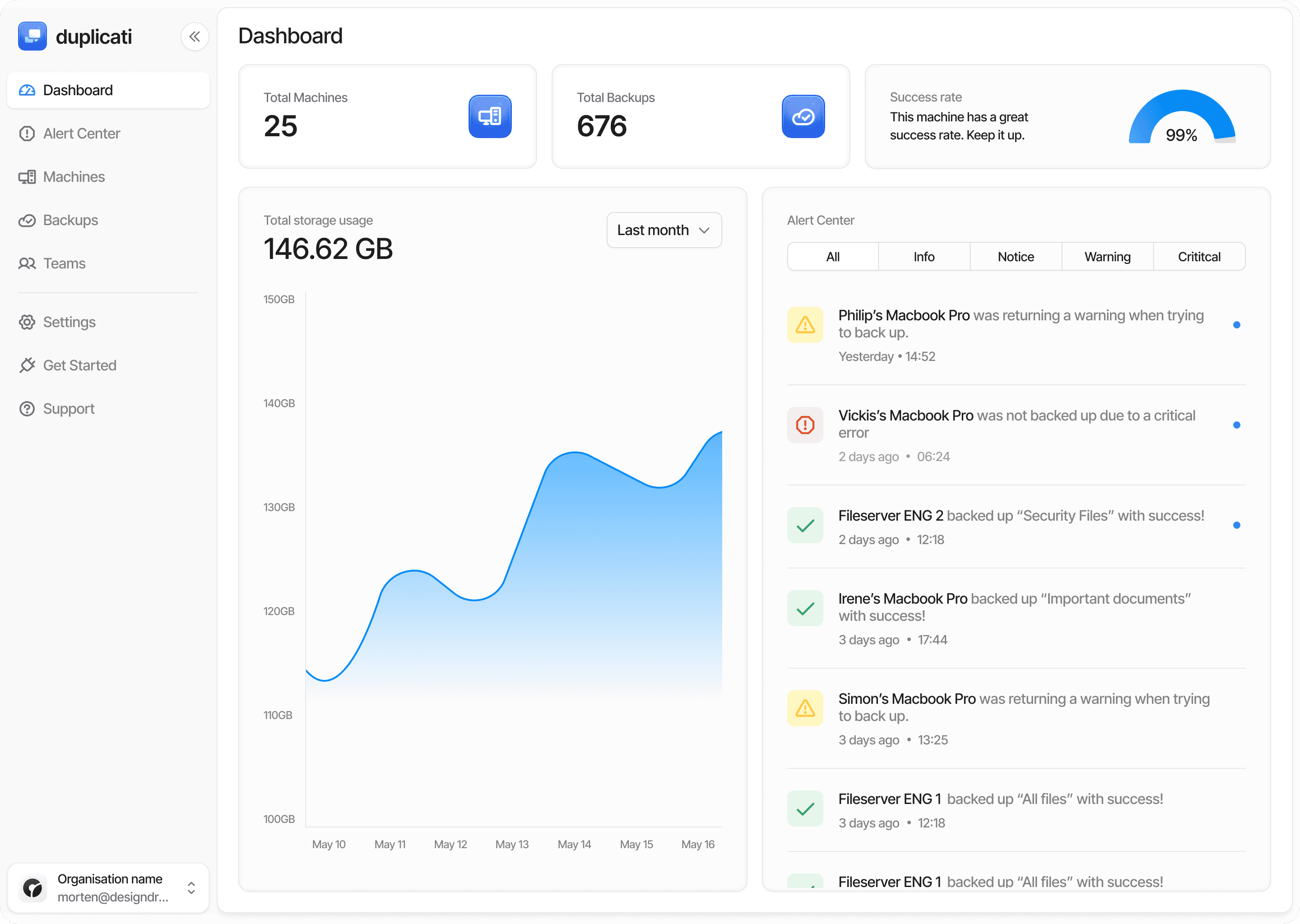
The Console turns that engine into a fleet policy. From the central configuration, you set the restore-test interval for an organization or a group of machines, and every backup under it inherits the schedule. Results flow into the same dashboards as backup results, and the Alert Center treats a failed, partial or missed restore test the same way it treats a missed backup, with notifications to email, Slack, Discord or a webhook. Each run leaves a dated record against the machine and backup set.
The outcome is a sentence you can finally say out loud: every backup we manage was restored and verified within the last month, and here is the list.
Try it
If you manage backups for more than one machine, the Duplicati Console is where restore testing stops being just a good intention. Start a free trial at app.duplicati.com, enroll your machines, and switch on scheduled restore tests from the canary channel. The next time an auditor asks how you know your backups work, you will have an answer that is dated, signed by the system, and already in the console.